9. Upgrade Packages
Depending on the BactoSense model, some functionalities are optional and can be activated with a license key.
9.1 Scientific package
The Scientific Package is intended for water research professionals to perform advanced data analysis. It contains the following features:
- Additional gate: Apply an additional configurable polygon gate to the FL1 / FL2 data directly in the user interface.
- Light scattering data: Record and display forward and side scatter data for each detected event. Retrieve data in FCS files for post-processing.
Additional polygon gate The freely configurable additional polygon gate has the following properties:
- It is available for TCC and ICC cartridges.
- The result parameter is a cell concentration named “Gate+”.
- The gate can be adjusted similar to the TCC or ICC default gates. Please refer to Change gates.
Forward and side scatter detector The Forward Scatter (FSC) detector measures light that is scattered by bacteria or other particles. The detector is placed at a small angle to the laser beam’s direction, thus measuring light signals in “forward” direction. In contrast, the Side Scatter (SSC) detector is placed at 90 degrees from the beam’s direction, measuring light scattered towards the side. The combination of fluorescence and scattering information provides high content data, enabling applications like microbiological fingerprinting, profiling or anomaly detection.
Scattering data is available in the following ways:
- in the flow cytometry standard (FCS) files. For more information about this file format please refer to Advanced data analysis.
- on the BactoSense user interface as a FSC / SSC dotplot
- on the web interface as a FSC / SSC dotplot
- when downloading the dotplots as images
Activation of the Scientific Package
Activate the package while the instrument is idle, with PLC mode and Demo mode disabled.
| WORK STEP | ADDITIONAL INFO / IMAGE | |
|---|---|---|
| 1. | Contact your bNovate Sales representative to purchase an activation key. | |
| 2. | After receiving the activation key, log in as Admin user on the BactoSense. | |
| 3. | On the Home screen, press Settings. | |
| 4. | Press the System settings button. | 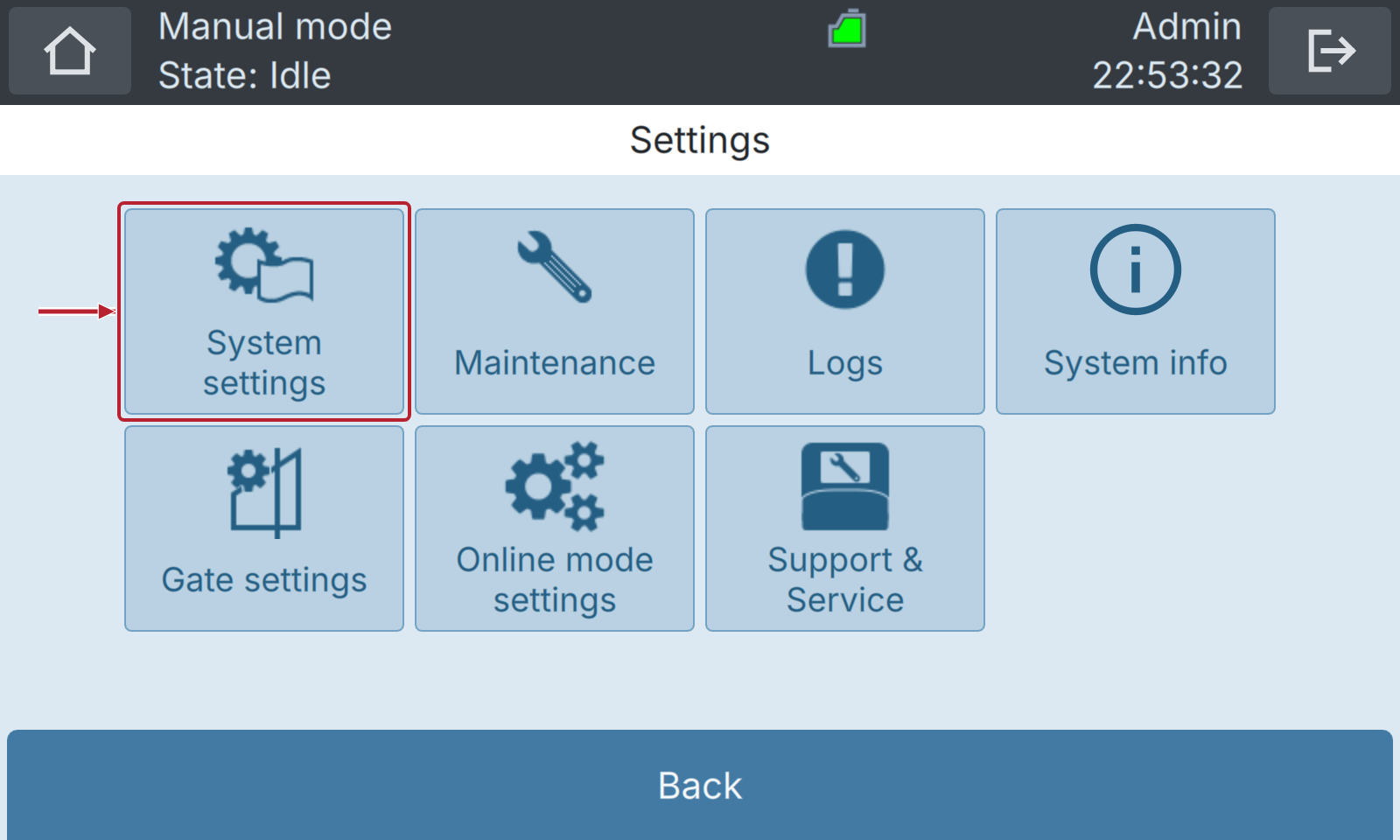 |
| 5. | Press the Upgrades button. | 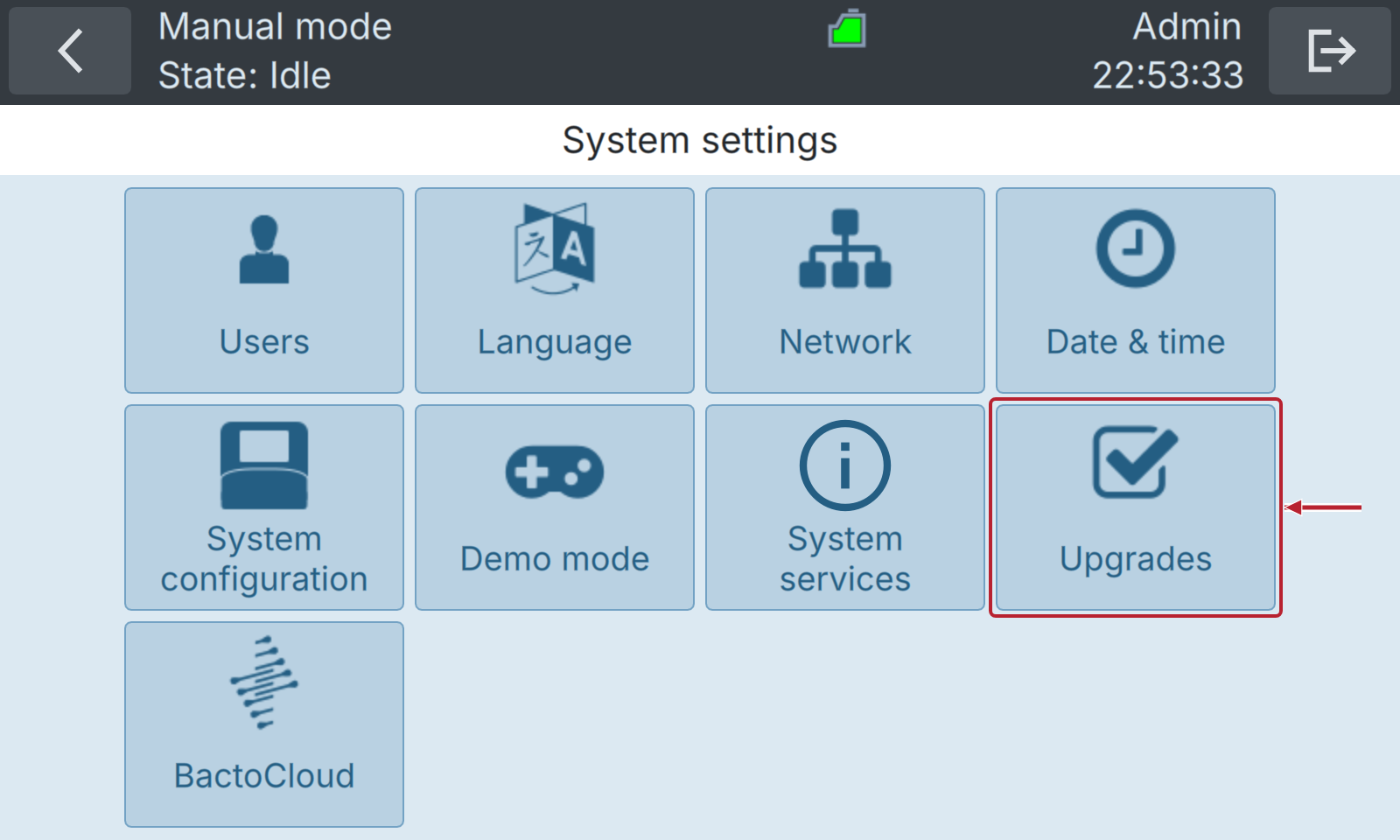 |
| 6. | Press the Upgrade button. | 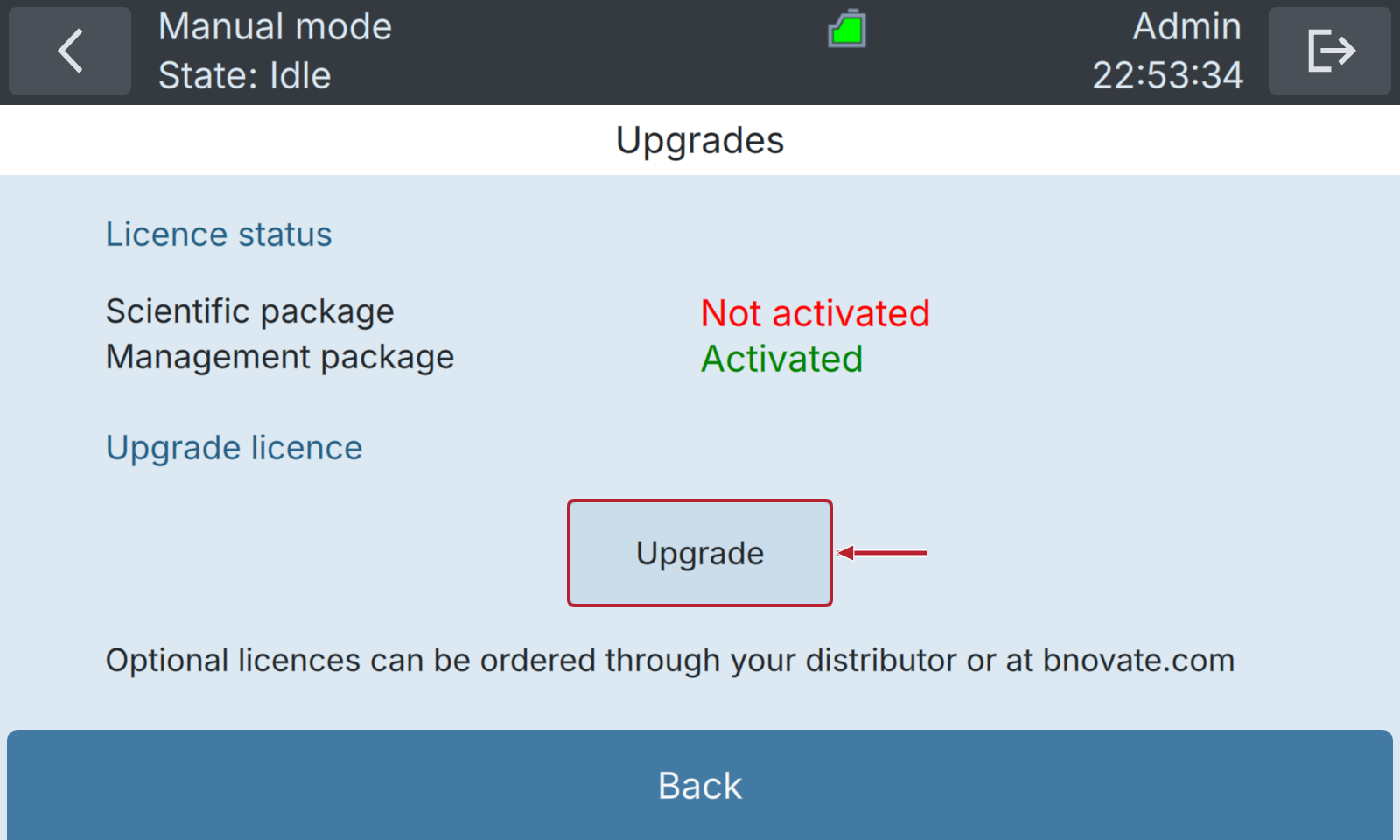 |
| 7. | Enter the activation key and press OK. | OK becomes available after you enter a key.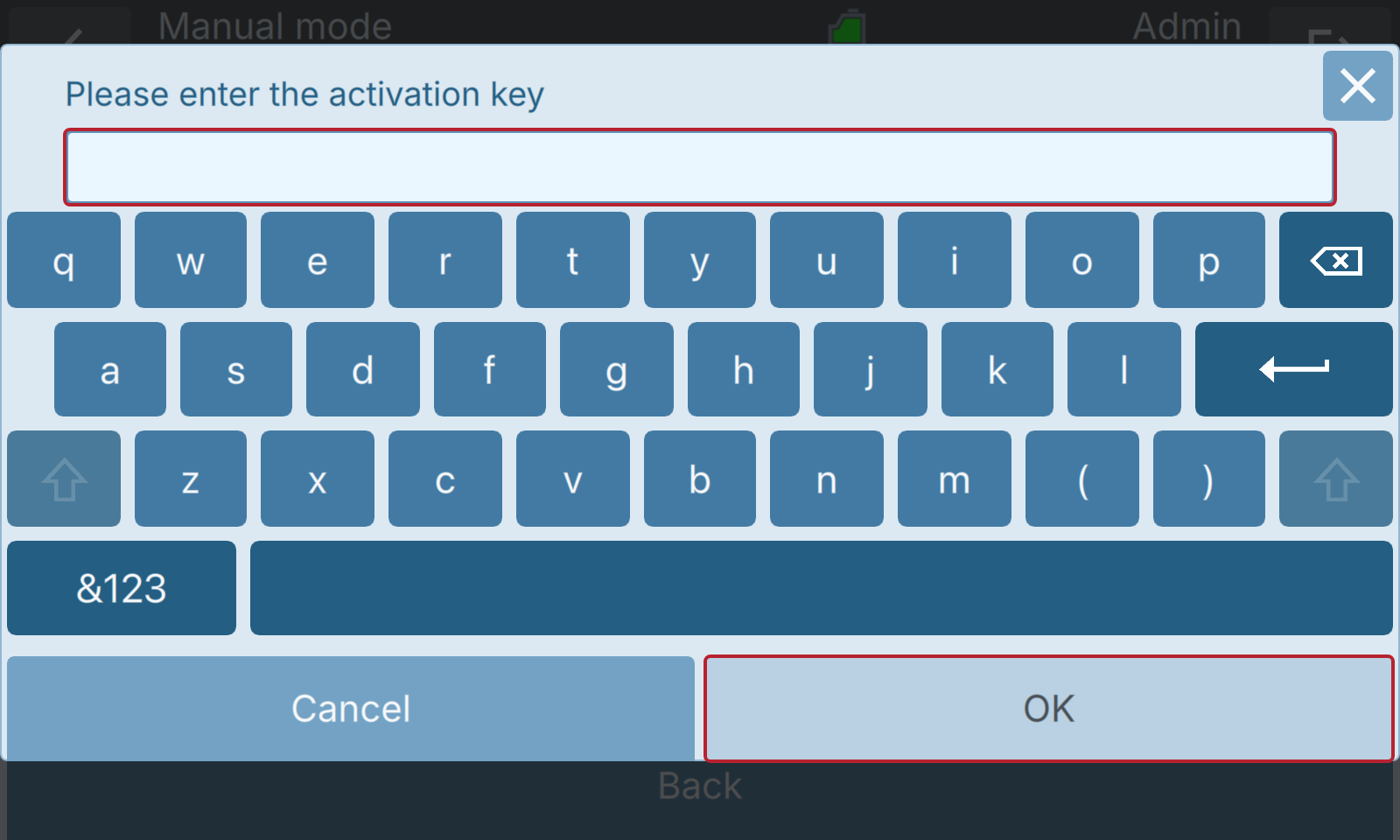 |
After successful activation, press OK in the confirmation message. If the instrument restarts, wait for it to finish, then open Upgrades again. Check that Scientific package shows Activated.
9.2 Management package
The Management Package is intended for instrument operation in environments with stronger traceability requirements. It contains the following features:
- Advanced user management (role-based access control)
- Audit trail
Advanced User Management With the Advanced User Management feature, the instrument owner can create different users and assign different user roles (Basic, Advanced, Admin). This allows to give different permissions to individual users, and log their activity for the audit trail.
Audit Trail The Audit Trail is a record of all relevant operations or changes that have been made with the instrument. It provides a detailed history of actions taken by the user or the instrument itself. The Audit Trail can be accessed in the following ways:
- On the instrument user interface, open Home → Settings → Logs → Audit trail.
- When exporting all data to a USB drive, see Export data to USB device.
- From the web user interface. The access to the web user interface is described in Web User Interface.
Activation of the Management Package
Activate the package while the instrument is idle, with PLC mode and Demo mode disabled.
| WORK STEP | ADDITIONAL INFO / IMAGE | |
|---|---|---|
| 1. | Contact your bNovate Sales representative to purchase an activation key. | |
| 2. | After receiving the activation key, log in as Admin user on the BactoSense. | |
| 3. | On the Home screen, press Settings. | |
| 4. | Press the System settings button. | |
| 5. | Press the Upgrades button. | |
| 6. | Press the Upgrade button. | |
| 7. | Enter the activation key and press OK. | Note: The advanced user management feature is not activated yet. If you wish to activate the advanced user management, follow the next steps. |
| 8. | On the Home screen, press Settings. | |
| 9. | Press the System settings button. | |
| 10. | Press the System configuration button. | |
| 11. | Check the Advanced user management mode check box. | |
| 12. | Press Save, then acknowledge the confirmation with OK. |